
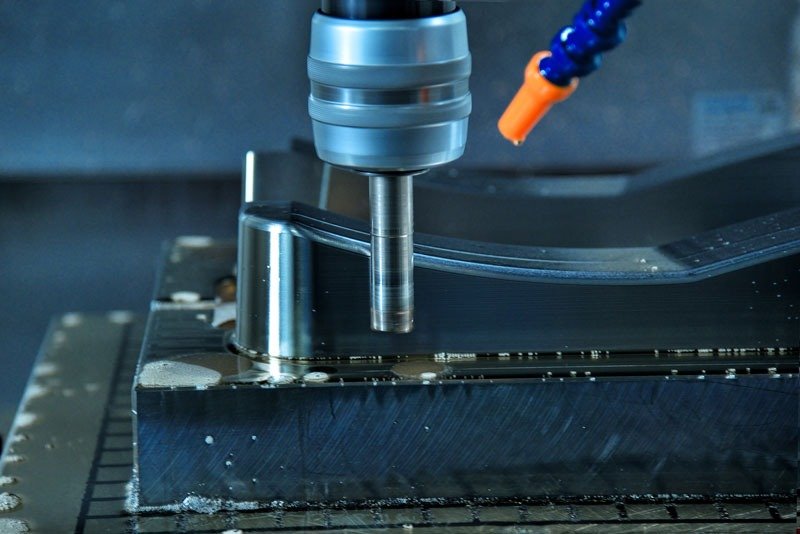
CNC programming is the process of creating the instructions (usually G-code) that tell a computer-controlled machine tool how to move its axes, spindle, and tooling to cut a part. Modern programming uses CAM software, hand-written code, or conversational interfaces at the machine, depending on the shop and the work. Programmers set the physical limits of what precision manufacturing can actually do, turning digital models into aerospace brackets, medical implants, and automotive molds.
1. From Blueprint to Cutting Tool: The Real CNC Programming Workflow
The jump from a digital CAD file to a physical metal part is a rigid sequence of translations. Skip a step and you get scrap, or worse.
[Visual Note: Workflow Diagram here showing CAD -> CAM -> Post -> Sim -> Machine]
- Part Model Interpretation: The programmer imports a STEP or native CAD file, evaluates tolerances, and picks a zero point based on how the raw stock is going to sit in the vise.
- CAM Setup and Toolpath Generation: Using something like Mastercam or Fusion 360, the programmer assigns cutting tools (say, a 0.500″ flat endmill) and applies strategies like dynamic roughing or 3D contouring.
- Post-Processing: The CAM software outputs generic toolpath data (CL data). The post-processor translates that into the specific dialect the machine’s controller wants, whether that’s a Fanuc 30i or a Haas NextGen.
- Simulation: Run the generated code through a digital twin or verification package to catch collisions between the tool holder, fixtures, and machine casting.
- Setup and Prove-Out: Operator loads tools, sets work offsets at the machine, and runs the first part with a finger hovering over feed-hold.
- First Article Inspection: The part gets measured on a CMM or with hand tools, and any adjustments feed back into the program.
2. G-Code and M-Code — What the Machine Actually Reads
G-code controls machine movement. M-code controls machine functions like coolant and spindle. Most modern CNC programs sit on top of the EIA-274 standard, though builders bolt on their own proprietary codes for advanced stuff.
Here’s a simple annotated G-code block for a facing operation on a 3-axis mill:
G90 G54 X-1.0 Y0.0 ; Absolute positioning, select work offset 1, move clear of part
S2500 M03          ; Spindle speed 2500 RPM, rotate clockwise
G43 H01 Z1.0 M08   ; Activate tool length compensation for Tool 1, move Z to 1.0", coolant on
G01 Z0.0 F15.0     ; Feed down to Z0 face at 15 inches per minute
G01 X5.0           ; Face across the part to X5.0
G00 Z1.0 M09       ; Rapid retract away from the part, coolant off
M05                ; Spindle stop
Common G and M Codes (Fanuc / Siemens Baseline)
| Code | Type | Plain-English Translation |
|---|---|---|
| G00 | Motion | Move axes at maximum rapid speed (never use while cutting). |
| G01 | Motion | Move in a straight line at a specified feed rate. |
| G02 / G03 | Motion | Cut a circular arc clockwise (G02) or counter-clockwise (G03). |
| G43 | Setup | Read the tool length offset so the machine knows where the tip is. |
| G54 | Setup | Use the primary work coordinate system (part zero). |
| G90 / G91 | Mode | Use absolute coordinates (G90) or incremental moves (G91). |
| M00 | Function | Pause the program until the operator presses Cycle Start. |
| M03 / M04 | Function | Turn the spindle on clockwise (M03) or counter-clockwise (M04). |
| M06 | Function | Execute an automatic tool change. |
| M08 / M09 | Function | Turn flood coolant on (M08) or off (M09). |
Fanuc and Siemens share the baseline, but macro variables and custom cycles diverge fast once you get past the standard motion codes.
3. The Three Ways to Program a CNC (and When to Use Each)
- Manual G-Code — writing code by hand in a text editor.
- CAM Programming — generating code visually in software.
- Conversational Programming — answering questions at the machine interface.
Manual G-Code by Hand
Hand-coding is still standard for simple 2.5D features, macro routines, and touch-probe setups. A June 2026 report from Industrial Monitor Direct pegs hand-coded programs on a Fanuc 30i running high-volume work at anywhere from 5% to 15% faster than CAM-posted output. Programmers optimize corner feed rates by hand and cut out the air-cutting the CAM tends to leave in.
CAM Programming
Computer-Aided Manufacturing is mandatory for 3D surfacing, 5-axis simultaneous, and complex mold work. Mastercam, NX, HyperMILL, they all calculate millions of coordinates no human is going to type accurately (or at all).
Conversational Programming
Builders like Mazak (Mazatrol) and Hurco (WinMax) use proprietary interfaces that ask the operator for part dimensions, hole depths, thread pitches, and then generate the toolpath. Job shops running low-volume prototype work live on this.
4. Post-Processors — The Hidden Reason Your Program Crashes
CAM software doesn’t spit out machine-ready G-code directly. It puts out generic toolpath data. The post-processor is the config file that translates that generic data into the specific dialect your machine speaks. Modern posts handle up to 15 axes of kinematics and run safety checks before the first chip flies.
Buying an off-the-shelf post is rarely enough. The classic setup failure involves tool length verification. CAM assumes the operator entered the exact physical tool length into the machine’s control registry. If the operator forgets (and eventually, everybody forgets), the machine drives the tool straight into the workholding.
Advanced programmers modify their posts to prevent this. Using Custom Macro B variables on Fanuc or Haas, a customized post can write lines that force the machine to compare the actual tool height in the spindle against the expected CAM value before it moves. Variance too large, machine alarms out, spindle survives. It’s the kind of thing you build once after you’ve watched a $40,000 mistake happen and then never program without it again.
5. Work Offsets, Tool Offsets, and Coordinate Systems
“The program ran fine in simulation but crashed on the machine” is a daily complaint on shop floors. The disconnect almost always traces back to offsets.
A CNC machine only understands its own internal home position (Machine Coordinates). To cut a part you assign a Work Offset (typically G54 through G59) that tells the machine where the raw block of material is clamped. Tool Offsets tell the machine how far each endmill sticks out from the spindle.
Modern shops automate this with touch probes. Using Renishaw Inspection Plus macros, a programmer can type G65 P9832 to turn the spindle probe on. Then G65 P9810 to execute a protected move that stops immediately if it hits something unexpected. Finally, a cycle like G65 P9814 finds the center of a bored hole and updates G54 with zero manual data entry, which is one of those things that sounds boring in an article and saves you forty minutes of tramming per setup in practice.
6. Simulation and Verification — The Step Beginners Skip
Watching a 2D line draw across your CAM software (backplotting) only proves the toolpath geometry is correct. It does not prove the program is safe.
Full kinematic simulation loads a digital twin of the actual machine, complete with the physical trunnion, vise, and tool holders. Verification tools chew on the exact G-code output by the post-processor and check for axis over-travel and fixture collisions.
Skipping this step is expensive. Per May 2026 data from iFactory AI, replacing a crashed CNC spindle bearing assembly runs between $18,000 and $65,000, averaging around $38,000 in parts and labor. Standalone software like Vericut, or integrated tools like EZ-CAM’s CIMCO Edit Professional (which the 2026 release folded in for direct verification without shuffling files between programs), catch these collisions digitally before any metal moves.
7. What a CNC Programmer Actually Does All Day
- Reviews prints and pushes back on impossible tolerances (DFM feedback).
- Designs workholding and models vise jaws in CAD.
- Writes toolpaths while keeping an ear on the machines already running.
The reality of the job is a lot less glamorous than software marketing suggests. Over on r/Machinists, one long-running thread has practitioners noting that daily coding time “varies from 1% to 100%.” A lot of programmers only spend two or three hours actually writing code. The rest of the shift is monitoring the first-article prove-out, adjusting feeds based on chip load, arguing with the tooling rep, and fixing setup errors that aren’t really the operator’s fault but somebody has to fix them.
Pay is decent. As of late 2025 into 2026, the U.S. median for a CNC Programmer sits around $69,880, with the top 10% clearing $99,060.
8. How Programming Differs by Machine Type
Complexity scales aggressively with the number of moving axes.
- 3-Axis Mill: Baseline. Tool moves in X, Y, Z. The real challenge is tool engagement and chip evacuation, not the code itself.
- 2-Axis Lathe: Turning cylindrical parts. Needs specific knowledge of threading cycles and grooving clearances.
- Mill-Turn: Turning plus live milling. You’re managing axis hand-offs between main and sub-spindles, and collision risk goes way up.
- 5-Axis Mill: Tool and part rotate at the same time. Requires deep understanding of tool center point control (TCPC) and constant verification, because the machine head will happily crash into the table during a tilt if you’re not paying attention.
- Swiss Lathe: Tiny high-volume medical and aerospace pins. Guide bushings, multiple channels of code running simultaneously (wait codes), and the hardest thing to read by hand in the whole business. If you ever need to be humbled, sit down with a Swiss program cold.
9. Learning Path — Realistic Timelines and Resources
A weekend hobbyist can pick up basic G-code and 2.5D CAM routing on the free tier of Fusion 360 in a month. Reaching actual shop-floor competence takes one to two years of running physical machines. There’s no shortcut on that part, and anyone selling you one is lying.
Legitimate training paths mostly skip the four-year degree in favor of technical credentials. The National Institute for Metalworking Skills (NIMS) sets the industry benchmark, with specific certifications for things like CNC Mill Operations and CNC Lathe Programming.
Getting there usually means formal training. In 2026, intensive 5- to 24-week fast-track programs at community colleges and workforce centers run from about $3,500 (the Oakland County Michigan Works program is at the low end) up to $10,695 for broader precision machining tracks. Titans of CNC Academy offers free foundational tutorials online for anyone without access to a physical spindle, which is most beginners.
10. Is AI Replacing CNC Programmers?
AI is showing up all over manufacturing, but right now it augments programmers, it doesn’t replace them.
Tools like CloudNC’s CAM Assist act as a force multiplier inside Mastercam or Siemens NX, automating repetitive 3-axis roughing and generating workable feeds and speeds. EZ-CAM 2026 introduced an AI Copilot that lets users query and edit post-processor scripts in natural language, which is genuinely useful because reading somebody else’s post is one of the worst jobs in this trade.
What AI handles well is tedious geometry generation. What remains stubbornly human is designing rigid workholding, arguing with a design engineer about a tolerance that can’t be held on the machine you have, and interpreting the sound a cutting tool makes as it starts to chatter against an unstable fixture. Nothing about that last part is close to being automated.
FAQ Section
1. Is CNC programming hard to learn?
The syntax of G-code takes a few weeks to memorize. What makes CNC programming hard is learning the physical limits of metalcutting: how much material an endmill can pull before snapping, how a thin wall vibrates and screams, and how to hold a block of steel safely while cutting it at high speeds. Most of that only comes from watching it happen (and occasionally happen badly) in front of you. The code is the easy part.
2. Do I need to know CAD to be a CNC programmer?
Yes. Not mechanical-design-engineer level, but enough to extract geometry, model vise jaws, cap holes for surface machining, and sketch boundaries to contain your toolpaths.
3. What’s the best software to learn first — Fusion 360 or Mastercam?
Fusion 360 is the best entry point because its free tier gives you real 3-axis CAM for hobbyists and students. Mastercam is the industry standard in production shops; if the goal is a job in commercial aerospace or a job shop, Mastercam experience gets priority.
4. Can I learn CNC programming without a machine?
Software interface and basic G-code syntax, sure, via online simulators like NC Viewer or a CAM package. But you cannot become a competent production programmer until you hear a tool cut and watch how physical material actually reacts to the code you wrote.